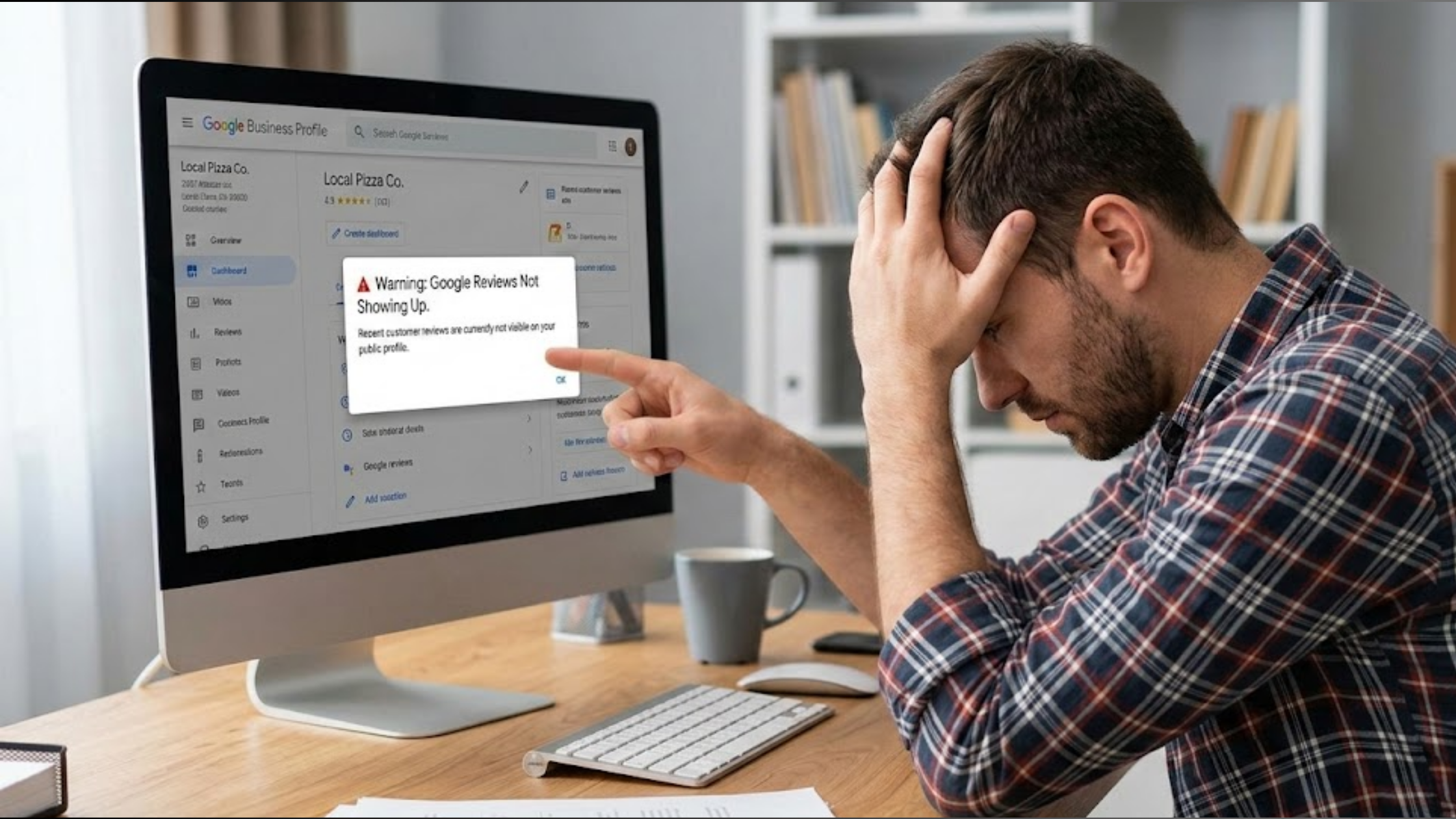
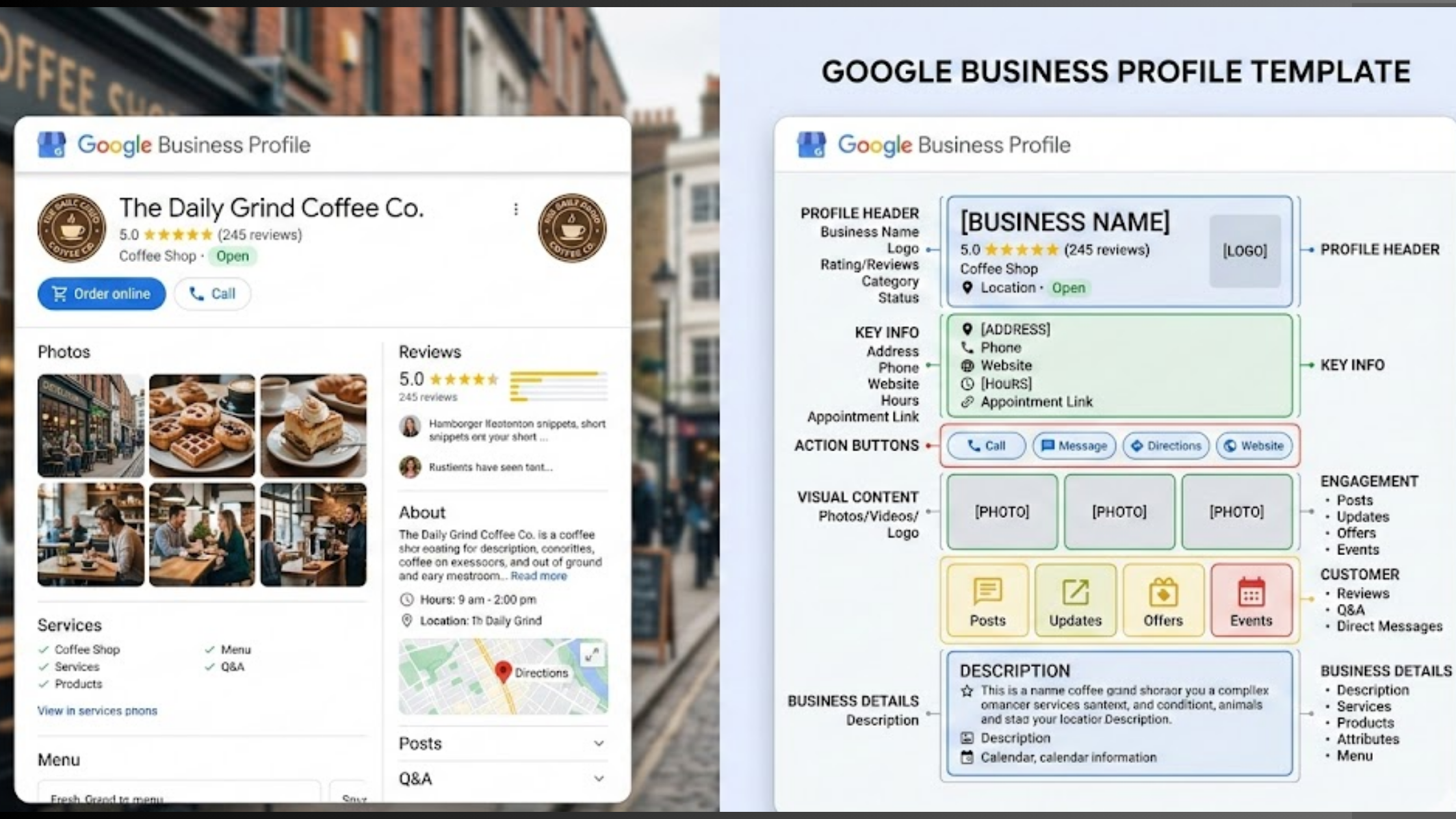
You can have your business on Google, but if it’s not ranking, having it there isn’t helping your business. You need Google Business Profile optimization.
Your listing could be live, verified, and filled with the basics, yet customers are still calling your competitors instead of you.
Not because they’re better. Not because they offer more. But because they show up first when people search on Google Search or Google Maps.
You shouldn’t stop at building a Google Business Profile. If your profile isn’t optimized, Google doesn’t fully understand what you do, who you serve, or when to show your business.
And when Google is confused, it quietly pushes you out of sight.
This guide walks you through how to optimize your business Google profile. Why it directly affects your rankings, and how to do Google Business Profile optimization the right way.
Along the way, you’ll also see how Olitt Lo helps businesses turn invisible listings into high-performing local assets.
Here’s what we’ll cover:
- What GBP optimization actually means (in plain language)
- Why some profiles rank fast while others stay buried
- The exact steps that improve visibility on Google Maps
- How Olitt simplifies and manages the entire process
Let’s break it down one clear step at a time.
What Google Business Profile Optimization Is
When you have your business profile without optimization, it’s like opening a shop but keeping the lights off and no sign outside.
People walk past, maybe even right in front of you, yet they never notice you.
Business Profile optimization helps Google understand:
- Who you are
- What you do
- Where you operate
- When someone should see you
If you optimize your profile correctly, Google starts showing your business in front of the right people, often in the top 3 results you see in local search and Google Maps.
What You Get with Google Business Profile Optimization
Google Business Profile optimization is a series of strategic moves that work together to get you:
- More visibility on the first page of Google
- Consistent clicks, calls, and direction requests
- Trust signals that make customers choose you
- Better rankings in local searches for terms like “near me” and “best [your service] in [city]”

Olitt’s Localforce turns your Google Business Profile into a ranking engine and a conversion asset. Every action is intentional. Every update has a purpose.
Here’s how Google Business Profile optimization works inside Localforce.
1) Profile Setup or Cleanup
Before growth comes order.
Localforce begins by either setting up your profile correctly from scratch or cleaning up what already exists. That includes:
- Fixing incorrect or outdated business details
- Cleaning up old photos and irrelevant content
- Ensuring your name, address, phone number, and hours are accurate
A clean profile gives Google clarity, and clarity leads to better rankings.
2) Category and Service Alignment
Google needs to understand exactly what you do.
Olitt’s Localforce aligns your primary and secondary categories with your actual services, not assumptions.
Your services are then structured the way customers search for them, not the way businesses usually describe them.
This removes confusion and increases relevance in local searches.
3) Location-Based Keyword Optimization
This is where optimization stops being generic.
Localforce uses location-based keywords that naturally fit into your profile:
- In services
- In descriptions
- In updates and posts
No stuffing. No awkward phrasing. Just language that matches how real people search in your area, and how Google expects to see it.
4) Image and Media Optimization
Photos aren’t decoration. They’re ranking and trust signals.
Olitt helps optimize:
- Cover photos and logos
- Location images
- Service-related visuals
- Short videos that improve engagement
Instead of random uploads, your media supports credibility, clicks, and conversions.
5) Posting and Update Consistency
An inactive profile slowly fades.
We keep your Google Business Profile active with:
- Consistent posts
- Updates tied to your services
- Announcements that signal freshness
Regular activity tells Google your business is relevant right now, not last year.
6) Review Strategy Guidance
Reviews influence both rankings and decisions.
Our Localforce helps you:
- Build a review strategy that feels natural
- Respond consistently without sounding robotic
- Maintain engagement even when time is limited
This strengthens trust with customers and reinforces prominence in Google’s eyes.
7) Profile Protection Against Unauthorized Changes
One silent risk most businesses overlook?
Unauthorized edits.
Localforce helps monitor and protect your profile against unwanted changes that can:
- Alter your business name
- Change categories
- Hurt rankings without you noticing
Your profile stays accurate, stable, and protected.
Key Components of a Fully Optimized GMB Profile

A fully optimized Google Business Profile doesn’t happen by accident.
It’s built piece by piece, and when even one of those pieces is missing, your rankings and conversions take a hit. Google notices gaps. Customers do too.
Below are the core components every optimized profile must have if you want to rank, attract clicks, and turn searches into real business.
Accurate and Consistent Business Information (NAP)
Your Name, Address, and Phone number are the foundation.
If these details are inconsistent or outdated, Google starts second-guessing your business.
And when Google hesitates, it ranks someone else instead.
A fully optimized profile ensures:
- Your business name matches official records
- Your address is correct and formatted properly
- Your phone number is active and consistent everywhere
This clarity helps Google trust your listing, and trust is a ranking signal.
Correct Categories and Services
Categories tell Google what lane you’re in.
Choose the wrong category, and your business shows up for the wrong searches or not at all.
An optimized profile:
- Uses the most relevant primary category
- Adds supporting secondary categories
- List services clearly and accurately
This alignment helps Google match your business to searches that actually convert.
Keyword-Optimized Business Description (Naturally)
Your business description isn’t a sales pitch.
It’s a translator between what you offer and how people search.
A fully optimized profile uses keywords naturally, especially location-based ones, without stuffing or forcing them. The goal is clarity, not cleverness.
When done right, Google understands your relevance, and customers understand your value.
High-Quality Images and Videos
Blurry photos quietly kill trust.
Strong visuals do the opposite; they stop the scroll.
An optimized profile includes:
- Real photos of your location
- Team or behind-the-scenes images
- Service-related visuals
- Short videos were relevant
These visuals signal legitimacy and increase engagement, which feeds back into rankings.
Regular Posts and Updates
Google favors active businesses.
Profiles that sit untouched slowly slide down the rankings.
A fully optimized Google Business Profile stays fresh with:
- Weekly or regular posts
- Updates about services, offers, or announcements
- Seasonal or timely content
Each update acts like a small signal saying, “This business is active and relevant right now.”
Reviews and Review Responses
Reviews are social proof and ranking fuel.
But reviews alone aren’t enough.
Optimized profiles:
- Encourage steady, genuine reviews
- Respond to both positive and negative feedback
- Maintain a consistent, professional tone
This interaction builds trust with customers and shows Google your business is engaged.
Questions and Answers (Q&A) Management
The Q&A section is often ignored and that’s a mistake.
When optimized:
- Common customer questions are answered upfront
- Accurate information replaces guesswork
- Your business controls the narrative
This reduces friction and builds authority before customers even reach out.
Insights and Performance Tracking
Optimization without tracking is guesswork.
A fully optimized profile uses insights from Google Business Profile to understand:
- How customers find your listing
- What actions they take
- Which elements drive calls, visits, and bookings
This data helps refine your strategy instead of repeating what doesn’t work.
Ongoing Maintenance (Not One-Time Setup)
This is the part most businesses miss.
Optimization isn’t a checkbox. It’s maintenance.
Profiles that rank well:
- Stay accurate
- Stay active
- Adapt based on performance
This is where tools like Olitt Localforce make the difference keeping every component aligned, updated, and working together.
Why Hire a Google My Business Optimization Service?

On the surface, Google Business Profile looks simple.
Fill in your details.
Upload a few photos.
Collect some reviews.
Done… right?
Not quite.
What most businesses don’t see is how easy it is to do the right things the wrong way and quietly block their own rankings in the process.
That’s where hiring a Google Business Profile optimization service starts to make sense.
Because Google’s Rules Change (And They Don’t Announce It)
Google updates how local rankings work all the time.
Categories shift.
Features change.
Guidelines tighten.
What worked six months ago might hurt your profile today.
A professional optimization service stays on top of these changes so your business doesn’t get caught off guard or worse, suspended.
Because “Set It and Forget It” Doesn’t Rank
Local rankings reward consistency.
Profiles that rank well are:
- Updated regularly
- Actively managed
- Continuously refined
Most business owners simply don’t have time to post weekly updates, monitor edits, respond to reviews, and analyze performance on top of running their business.
An optimization service handles that ongoing work without distractions.
Because Small Mistakes Have Big Consequences
One wrong move can cost you visibility.
Things like:
- Keyword stuffing your business name
- Choosing incorrect categories
- Allowing unauthorized profile edits
- Ignoring negative reviews
These mistakes don’t always trigger warnings. They just slowly push your profile down the rankings or trigger suspension without notice.
A professional service helps you avoid these silent killers.
Because Rankings Alone Don’t Pay the Bills
Showing up is only half the job.
The real goal is:
- More calls
- More visits
- More bookings
A proper Business Profile optimization service focuses on conversion, not just visibility. It structures your profile to guide people toward action not confusion.
Because Managing Multiple Locations Gets Complicated Fast
One location is manageable.
Multiple locations? That’s where things break.
An optimization service ensures:
- Consistent branding across locations
- Accurate data everywhere
- Each profile optimized for its local area
Without this, profiles start competing against each other or sending mixed signals to Google.
Because You Need Clear Results, Not Guesswork
Guessing doesn’t scale.
A professional service tracks:
- What searches bring visibility
- Which actions users take
- Where conversions come from
This turns GBP optimization into a measurable growth channel not a hope-and-pray effort.
Why Businesses Choose Olitt for Google Business Profile Optimization
Instead of outsourcing everything to manual effort, Olitt uses Localforce to combine:
- Human strategy
- Smart automation
- Clear performance tracking
You get consistent optimization, fewer risks, and profiles that stay active without burning time or resources.
What Olitt Google Business Profile (GBP) Comes With

When you use Olitt to optimize your Google Business Profile, you’re not just getting a dashboard.
You’re getting a complete toolkit that turns your profile into a ranking and conversion machine.
Here’s what’s included:
Overview
Your command center.
See your entire GBP performance at a glance from calls and visits to clicks and bookings.
Everything you need to know about your profile is right there, no digging through tabs or spreadsheets.
Profile & Listings
Manage your business info and locations in one place.
Add new services, update hours, and ensure every profile, single or multi-location, is accurate and optimized for Google’s ranking signals.
Social Marketing
Keep your audience engaged without juggling platforms.
Schedule posts, share offers, and announce events all from the Localforce dashboard, keeping your profile active and relevant.
Reviews
Manage your reputation effortlessly.
Respond to reviews manually or automate replies using AI templates that still sound like you.
Turn customer feedback into trust and ranking signals.
Analytics
Insights that actually matter.
Track which listings get the most clicks, which actions lead to visits, and where your conversions are coming from.
You can even integrate GA4 to tie local traffic directly to website performance.
Local Search
Rank where it counts.
Localforce focuses on optimizing your profile for nearby searches and “near me” queries, helping you appear in the coveted Google Maps local pack and drive more real-world traffic.
GBP Audit
Know exactly what’s working and what’s not.
Localforce audits your profile to spot missing info, weak signals, or errors that could hurt your visibility. Then it gives clear recommendations to fix them.
Settings
Control and customize your optimization strategy.
Adjust notifications, automate updates, and protect your profile from unauthorized changes, all from one convenient hub.
How to Create a Google Business Profile
Creating a Google Business Profile might sound intimidating, but it’s really just a few simple steps and once it’s done right, it becomes the foundation for all your local visibility.
Here’s how to get it done.
Step 1: Sign Up or Log In
First things first: head over to Google Business Profile.
If you already have a Google account, log in. If not, create one; it only takes a few minutes.
Your Google account will be the hub for managing your business online, so use an email you check regularly.
Think of this as getting the keys to your digital storefront. Without them, nothing else works.
Step 2: Enter Accurate Business Details
Next, fill in your business information carefully:
- Business name – exactly how it appears on signage and official documents
- Address – make sure it’s correct and consistent everywhere online
- Phone number – a number you actively answer
- Website – optional but highly recommended
Accuracy here isn’t just about looking professional. Google uses this data to decide where and when to show your business in local search. Mistakes here can silently kill your rankings.
Step 3: Get Your Phone Number Live
Google may ask you to verify a phone number to make sure your business is real.
Once it’s live, potential customers can call you directly from search results. This step turns your listing from a static page into a real connection point for clients.
A working phone number also signals credibility to Google, and yes, it helps with ranking.
Step 4: Verify Your Profile
Verification is the final step to claiming your profile officially. Google usually sends a postcard to your business address with a verification code, though sometimes phone or email verification is available.
Verification does a few things:
- Confirms your business is real
- Unlocks full profile features (photos, posts, offers)
- Lets you start optimizing with confidence
Once verified, your profile is live but remember, setup is only the beginning.
To truly rank and convert, you need ongoing optimization, which is exactly what Olitt Localforce handles for you.
Reasons Your Google Business Profile Might Get Suspended
A suspended profile isn’t just frustrating; it can wipe out your local visibility overnight, leaving potential customers stuck with your competitors instead.
Knowing why suspensions happen is the first step to avoiding them.
Here are the most common triggers:
1) Inconsistent Business Names or Addresses
Google loves accuracy. If your business name or address differs across your website, social media, or directories, Google may flag your profile.
Even small differences, like “Street” vs. “St.” or a missing suite number, can confuse Google’s system and risk a suspension. Keeping your NAP (Name, Address, Phone) consistent everywhere is critical.
2) Duplicate Listings
Multiple listings for the same location can be more harmful than helpful.
Google doesn’t want to show two identical businesses in search results. Duplicate profiles can:
- Split your reviews
- Lower your ranking
- Trigger automatic suspension
Before creating a new listing, check carefully to ensure one profile per location.
3) Fake or Suspicious Reviews
Reviews are gold for both rankings and credibility but Google can detect patterns of manipulation.
Suspicious activity includes:
- Buying fake reviews
- Overloading positive reviews in a short time
- Spammy language or repetitive content
Even with the best intentions, a profile can get flagged. Authentic, steady, and natural review management is safer and more effective.
4) Violations of Google Guidelines
Google has clear rules for business profiles, and breaking them intentionally or not can lead to suspension.
Common violations include:
- Using a keyword-stuffed business name
- Misrepresenting your business category
- Adding unrelated locations
- Promoting prohibited content
Following Google’s guidelines carefully is the easiest way to stay visible and trusted.
A suspension doesn’t have to be permanent, but prevention is far easier than recovery.
That’s why businesses turn to Olitt Localforce, which manages profiles safely, keeps them updated, and ensures compliance so your listing stays live and ranking.
The Role of a Professional GMB Manager
A good GMB manager handles the heavy lifting so you don’t have to worry about it:
- Update and optimize business information regularly
Your hours, contact info, services, and categories stay accurate and consistent keeping Google happy and customers confident. - Handle customer review optimization
Reviews build trust, but managing them properly is time-consuming. A GMB manager ensures reviews are responded to professionally, encouraging engagement and ranking signals. - Implement strategies for better local SEO
From location-based keywords to category alignment and post updates, your profile gets optimized for searches that actually convert. - Track performance and improve Google Maps rankings
Monitoring clicks, calls, and direction requests allows the manager to fine-tune your profile for maximum visibility and conversions.
Get Started with Olitt Localforce
Getting your Google Business Profile right isn’t just about avoiding mistakes, it’s about turning your profile into a powerful tool that drives real business.
That’s exactly why you want to get started with Olitt Localforce.
With Localforce, google business profile optimization becomes simple, safe, and effective.
It handles everything from profile updates and review management to post scheduling and performance tracking, all while using your own brand voice.
In other words, instead of guessing what works or stressing over updates, Localforce ensures your profile ranks higher, stays compliant, and converts searches into calls, visits, and bookings.
If you’re serious about boosting your local visibility and getting noticed, starting with Olitt Localforce is the smartest first step.