


You may want to own a website but lack coding skills. The good news is that with AI website builders, creating a site has never been easier.
But the real question is: what is the real cost of using an AI website builder in 2025?
Many small business owners and entrepreneurs face this challenge. You want a professional online presence, but limited time and budget often hold you back.
AI website builders promise quick setups, smart tools, and easy customization to get you online fast.
But the true cost goes beyond the monthly subscription fee. Hidden expenses can add up if you’re not careful.
This guide will give you a clear picture of the costs so you can make informed choices.
We’ll cover:
- Types of AI website builders
- Direct and indirect costs
- Potential savings and influencing factors
- Comparisons between platforms
- Practical tips to avoid surprises
You’ll also see insights into platforms like Olitt and its AI features, subscription breakdowns, and extra fees.
Plus, we’ll explore how AI saves design time and improves ROI.
By the end, you’ll know the real cost of using an AI website builder in 2025—and how to choose the best option for your needs.
Types of AI Website Builders

AI website builders use smart tech to create sites based on your inputs. You describe your business, and the tool generates layouts, content, and images.
This makes them ideal for beginners. No coding needed—just your ideas.
In 2025, these tools will have grown smarter. They handle e-commerce, blogs, and portfolios with ease.
Popular Platforms
Several options stand out. Olitt shines with its /ai features for quick, tailored sites.
Wix offers robust AI for design and content. Squarespace focuses on sleek visuals. Hostinger keeps things budget-friendly.
Others like GoDaddy, Jimdo, and Durable round out the mix. Each brings unique strengths to fit different needs.
Free vs. Paid Plans
Free plans let you test the waters. You get basic templates and hosting, but with limits.
Expect branding like watermarks or ads. Storage and bandwidth stay low too.
Paid plans unlock more. You remove ads, add custom domains, and access advanced AI tools. Prices start low but scale with features.
Key Features Impacting Cost
AI content generation saves hours. It writes text, suggests headlines, and optimizes for SEO.
Built-in SEO tools help you rank higher. Analytics tracks visitors without extra apps.
E-commerce add-ons cost more. Think payment gateways and inventory management. These bump up your ai website builder cost if you sell online.
Direct Costs
Direct costs hit your wallet upfront. They include subscriptions, domains, and add-ons.
Plan carefully to avoid overpaying. Let’s break it down.
Subscription Plans

Free Plans: Limitations and Branding
Free tiers from platforms like Olitt or Durable give you a start. You build simple sites without paying.
But limitations apply. Branded subdomains like yoursite.olitt.com show up. No custom emails either.
Use these for testing. Upgrade when you’re ready for a pro look.
Paid Plans: Price Ranges
Paid options vary widely. Hostinger starts at $2.99 per month for basics.
Wix ranges from $17 to $159 monthly, depending on scale. Squarespace hits $16 to $49.
Olitt keeps it affordable, with plans from $19 yearly for AI perks. Factor in annual billing for discounts—often 20-50% off.
Domain and Hosting Fees
Free Domains (Often Included in First Year)
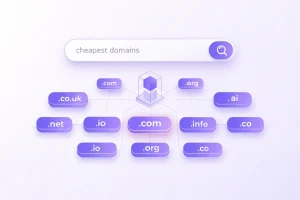
Many builders throw in a free domain for year one. You pick .com or .net without extra cost.
This sweetens the deal. Olitt includes it in paid plans, tying into their /ai ecosystem.
Renewal Costs
After year one, renewals kick in. Expect $10-30 yearly for standard domains.
Premium ones like .io cost more. Budget for this in your ai website builder cost.
Hosting usually bundles in. No separate fees unless you outgrow the plan.
Additional Feature Costs
E-commerce Tools
Selling online? Add payment processors and carts. This adds $5-20 monthly on top.
Wix’s Business plan at $39 includes these. Olitt integrates them affordably in /ai setups.
Advanced SEO or Analytics
Basic SEO comes free. But premium tools for deep insights cost extra.
Think $10-50 for add-ons. Some builders like Squarespace include them in higher tiers.
Indirect Costs
Indirect costs sneak up on you. They’re not on the bill but affect your time and growth.
Spot them early to keep your ai website builder cost in check.
Design Limitations
Generic Templates
AI generates fast, but templates can feel cookie-cutter. Your site might blend in with others.
This hurts branding. You spend hours tweaking to stand out.
Limited Customization Options
Want unique elements? Basic plans restrict changes. Advanced coding isn’t always easy.
You might hire help, adding $50-200 per hour. Olitt’s /ai offers more flexibility without extras.
Scalability Issues
Difficulty in Handling Growing Traffic
Starter plans cap bandwidth. As visitors grow, sites slow down.
Upgrading costs more. Plan for traffic spikes in 2025’s busy online world.
Limitations with Advanced Features
Need custom apps? Some builders lock you out. Integration fees pile up.
This limits growth. Choose scalable options like Hostinger from the start.
Data Ownership and Control
Risks of Being Locked into One Platform
Your data ties to the builder. Switching means rebuilding.
This vendor lock-in frustrates. Always check export options.
Costs of Migrating to Another Provider
Migration can cost $500-2000 in time and tools.
Back up regularly. Olitt makes exports simple, reducing this risk.
Cost-Saving Benefits
AI website builders shine in savings. They cut traditional expenses while speeding things up.
You get more value for less effort. Here’s how.
Reduced Need for Professional Web Designers
Hiring a designer costs $2000-10,000. AI handles layouts and styles itself.
You save big. Focus on your business instead.
We at Olitt understand this—our /ai tools empower you to create pro sites solo.
Faster Website Creation (Hours vs. Weeks)
Traditional builds take weeks. AI does it in hours.
Launch quicker and start earning sooner. Time is money in 2025.
Built-in Tools Reducing Third-Party App Costs
No need for separate SEO or analytics apps. Builders include them.
Save $20-100 monthly on plugins. Olitt’s /ai bundles everything neatly.
Evaluating ROI (Return on Investment)
Calculate ROI by weighing costs against gains. Faster launches mean quicker sales.
Track metrics like traffic and conversions. A good builder pays for itself fast.
Factors Influencing Costs
Your AI website builder cost depends on several factors. Understand them to budget right.
Tailor choices to your setup.
Complexity of Website Needs
Simple blog? Low cost. E-commerce store? Higher due to features.
Assess your goals first. More pages and functions raise the price.
Level of Customization Required
Basic AI output is free. Deep tweaks add fees for premium tools.
If you need unique designs, expect extras.
Support and Maintenance Options
Free support is basic. Priority help costs more, like $10-50 monthly.
Ongoing updates factor in too. Choose builders with strong communities.
Comparison of Top AI Website Builders
Compare options side by side. This helps you spot the best fit.
Use this table for quick insights.
| Platform | Pricing (Monthly, Annual Billing) | AI Features | Flexibility | Best For |
| Wix | $17–$159 | Content generation, design suggestions | High, with editor tools | Growing brands |
| Squarespace | $16–$49 | Blueprint AI for layouts, image creation | Medium, design-focused | Creative sites |
| Hostinger | $2.99–$13.99 | AI builder, SEO optimizer | Good for basics | Budget users |
| GoDaddy | $9.99–$20.99 | Site generation, writing tools | Easy drag-and-drop | Small businesses |
| Jimdo | $11–$28 | AI setup, bookings integration | Simple interfaces | Quick launches |
| Durable | $12–$95 | Full site in seconds, CRM add-ons | High for pros | Scaling firms |
| Olitt | $10–$19 (flexible) | /ai for content, hosting, SEO | Affordable custom | Efficient builds |
Wix offers flexibility but at higher costs. Squarespace excels in visuals.
Hostinger wins on price. Olitt stands out for AI-driven value, especially with /ai efficiencies.
We at Olitt focus on cost savings through integrated tools.
Tips for Cost-Effective Use
Maximize your investment with smart strategies. These keep your ai website builder cost low.
Apply them from day one.
- Start with Free Trials or Plans
Test builders like Olitt’s free tier. See if it fits before committing. - Choose Annual Billing for Discounts
Save 20-50% by paying yearly. Most platforms reward this. - Focus on Essential Features to Avoid Overpaying
Skip extras you don’t need. Stick to core AI tools for basics. - Review AI-Generated Content Before Publishing
Edit for your voice. This prevents rework and boosts quality.
Try internal links like Olitt’s /ai features for more tips.
Conclusion
Balance cost and value when choosing an AI website builder. Direct fees are clear, but watch indirect ones.
Savings from speed and tools often outweigh expenses. Pick based on your needs—scalability, features, budget.
Ready to start? Explore Olitt’s /ai offerings for a smart, affordable path. Get your site live without breaking the bank.









