Google reviews not showing on Google Maps or Search is very common, and no, you’re not imagining things.
Sometimes it’s even review count changing or a client saying they posted a review, but you can’t see it anywhere. Meanwhile, competitors with fresher reviews seem to climb higher.
That stings.
This can mean literally lost business, especially with all the work you’ve done to get real customers, real calls, and a really great reputation.
I mean, when you always show up on time, deliver great service, and leave your customers smiling, it can feel like the setback of the century.
But before you assume the worst, take a breath.
In most cases, there’s a perfectly logical explanation behind missing reviews, and better yet, a fix.
In this guide, we’ll walk through what’s really happening behind the scenes and the practical steps you can take to get your reviews visible again.
We’ll go through:
- How long reviews usually take to show up
- The most common reasons for Google reviews not showing
- Practical fixes you can try right away
- The simple automation solution you can rely on
Let’s solve this together.
How Long Should Google Reviews Take to Show Up?
This is usually the first thing you want to ask in this kind of situation.
In most cases, genuine reviews show up fairly quickly. Many appear within 30 minutes. Most are visible within 1–2 hours.
That said, Google doesn’t publish reviews instantly every single time.
Its system runs automated checks in the background, and sometimes that process can take up to 72 hours, especially if the account leaving the review is new, the wording looks unusual, or your business profile hasn’t built much history yet.

If it’s been more than three days, that’s when you should pause and look closer. Delays beyond 72 hours often point to something specific: a policy issue, a duplicate listing, or Google’s filter holding the review back.
So, if you’re still refreshing your dashboard after day three, it’s time to dig into the common causes below.
On the upside, once the root issue is fixed, reviews usually start appearing normally again.
And with LocalForce, you can reduce these delays and keep your reviews flowing without the constant waiting game.
6 Common Reasons Why Google Reviews Are Not Showing Up
In 2026, Google’s spam filters are stricter than ever. They’re designed to protect trust, but sometimes real, honest reviews get caught in the process.
1) Content policy violations
It doesn’t take much. A single link. A phone number. Certain strong words. Even something that looks promotional.
The system can remove a review instantly if it triggers a policy filter.
2) Incentivized reviews or review gating
Offering a discount in exchange for a review is not allowed. Only asking happy customers while avoiding unhappy ones? Also against the rules.
If Google detects this pattern, reviews may never appear at all.
3) Suspicious reviewer accounts
Now this is a problem for a brand-new account, one with no profile photo, or someone who posted 15–20 reviews in one day.
These signals raise flags quickly, even if the review itself is genuine.
4) Unverified or duplicate Business Profiles
If your listing isn’t fully verified or there’s an old version of your business still floating around, reviews can get delayed or stuck in limbo.
5) Unusual review velocity
Getting eight 5-star reviews over one weekend might feel amazing. To Google’s system, it can look unnatural and trigger an automatic check.
6. Reviewer location issues
A customer traveling from another city or country can accidentally look “suspicious” to the system, especially if their account history doesn’t match the visit.
These are the exact reasons Google reviews not showing have become so common.
But none of this means you’re stuck.
Every one of these issues has a fix, and once you address the root cause, reviews usually start flowing normally again.
Quick Manual Fixes You Can Try Right Now
Before you assume the review is gone for good, there are a few simple checks that often solve the problem.
You can even recover your missing reviews within a day just by going through these steps carefully.
Start here:
i) Ask the customer to check from their side.
Have them open Google Maps, tap “Contribute,” and then view their profile.

If they can see the review but you can’t, that usually means it’s being filtered, not deleted.
ii) Double-check your business profile details.
Make sure everything is fully verified and accurate: address, phone number, business hours, photos. Even small inconsistencies can slow things down.
iii) Search for duplicate listings.
Type your business name into Maps and look closely.
If you see an old address or a second version of your profile, request a merge. Duplicate listings are a common cause of reviews getting “stuck.”
iv) Give it the full 72 hours.
It’s frustrating, but a surprising number of reviews show up right around day three after Google completes its checks.
v) Ask the customer to edit and resubmit (if needed).
If they included a link, phone number, or strong wording, a small edit and repost can make all the difference.
vi) Contact Business Profile support.
Submit a support request with clear screenshots. Responses can take a few days, so patience helps here.
These steps can absolutely work.
The downside though is that they take time, and most business owners would rather focus on serving customers than refreshing their review dashboard all day.
The Smarter Fix Using LocalForce to Handle Reviews Automatically
Manually chasing reviews works… until it doesn’t.
Texting customers one by one, checking your dashboard every few hours, and following up again… well, that’s a lot of work.
It quickly turns into another task on an already full plate.
That’s exactly why we built LocalForce, so that local businesses don’t have to keep worrying about Google reviews not showing ever again.

Here’s what happens when the system does the heavy lifting for you:
- Review requests go out automatically via email or SMS right after you complete a job, while the experience is still fresh.
- Every message follows Google’s policies, reducing the risk of filters or removals.
- Incoming reviews are monitored in real time, so you’re alerted immediately.
- AI-generated replies are written in a natural tone and optimized to strengthen your local ranking signals.
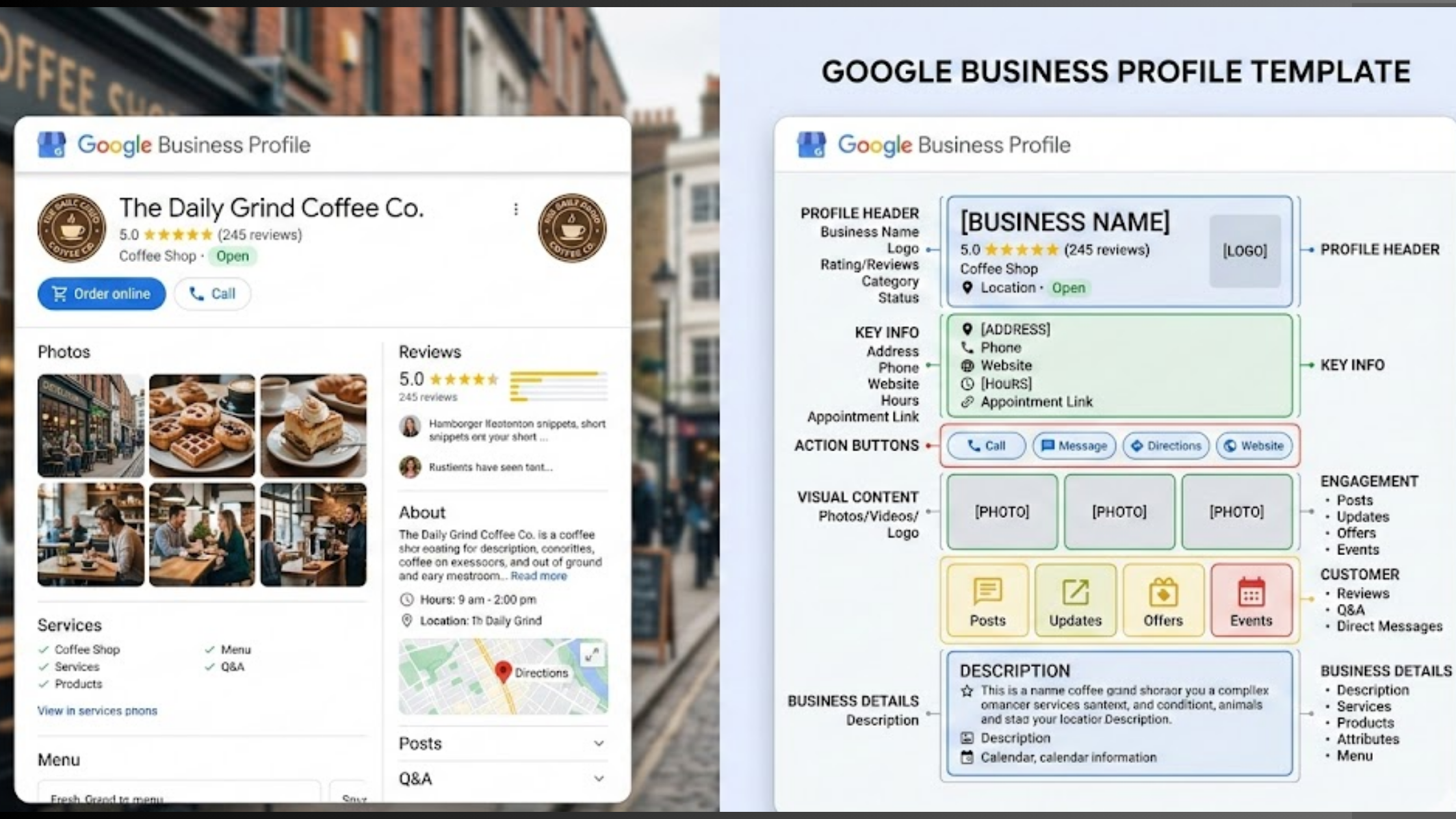
- Your Google Business Profile is continuously audited, helping eliminate duplicate listings and verification issues that cause reviews to get stuck.
And because everything connects directly to your Olitt AI website, new reviews sync automatically; there’s no copy-pasting and no manual updates.
You can start with the free plan and try out some of the features before you decide to commit with a premium plan.
If you’d rather begin with a quick Google Business Profile audit and listing cleanup, head straight to Olitt’s LocalForce and get your profile in order before it starts slowing down your reviews.
Ready to Make Google Reviews Work for You?
You’re already doing the hard part: delivering great service.
The missing piece is making sure your reviews actually show up, stay visible, and start pulling in more customers consistently.
There’s no reason to spend another week refreshing your dashboard and wondering why calls feel slower.
If you have Google reviews not showing up and possibly holding you back, it doesn’t have to continue.
Start your journey with Olitt’s LocalForce today and secure your time, energy, and future.
And when your Olitt website and LocalForce work together, you’re looking at your reviews actively supporting your rankings, your credibility, and your lead flow.
It becomes a local growth engine running quietly in the background.