Your restaurant website’s homepage can encourage visitors to order or make a reservation the moment they arrive on your site.
It’s the first thing potential guests see, and in just a few seconds, it decides whether they’ll stay to explore your menu or leave for a competitor.
The homepage is your host, your menu board, and your best server, all rolled into one.
A well-done homepage welcomes visitors, whets their appetite, and effortlessly guides them to order food or book a table.
You can choose to build one from the ground up or let a reliable builder like Olitt AI simplify this for you.
In this guide, you will get everything you need to create a restaurant website homepage that works hard to grow your business.
What is a Website Homepage?
Think about your favorite local restaurant. What’s the first thing you see when you approach it?
It’s the front door, the welcome mat, and the window display that give you a taste of what’s inside.
A website homepage is precisely that, but for a business or person online.
It’s the first page most people land on when they type in your website’s address.
What’s the job of a Homepage?
It Introduces Your Business Quickly
- A homepage immediately displays your restaurant’s name and the type of food you serve.
- It displays your best-looking food photos to make people hungry.
- It gives your unique vibe – whether you’re fancy, casual, family-friendly, or trendy.
Guides People Where They Want to Go
- It features clear buttons, such as “Order Online,” “View Menu,” or “Reserve Table.”
- It displays your hours, location, and phone number, making it easy for people to find you.
- It helps visitors quickly answer their basic questions.
Encourages Action
- A well-designed homepage encourages people to take action – whether that’s ordering food, booking a table, or exploring your menu.
- It builds trust through customer reviews or awards.
- It shows you’re active with current specials or events.
What Makes a Homepage Different?

While other pages on your website have specific, focused jobs, the homepage does it all. Note that:
- An “About Us” Page is for telling your whole story.
- A “Menu” Page is for listing all your items in detail.
- A “Contact” Page is just for your address and phone number.
The Homepage, however, is a highlights reel of all these things.
It provides a sound snippet of your story, a preview of your best-selling menu items, and displays your key contact information; all while offering clear paths to more detailed pages.
What to Include on Your Restaurant Website Homepage
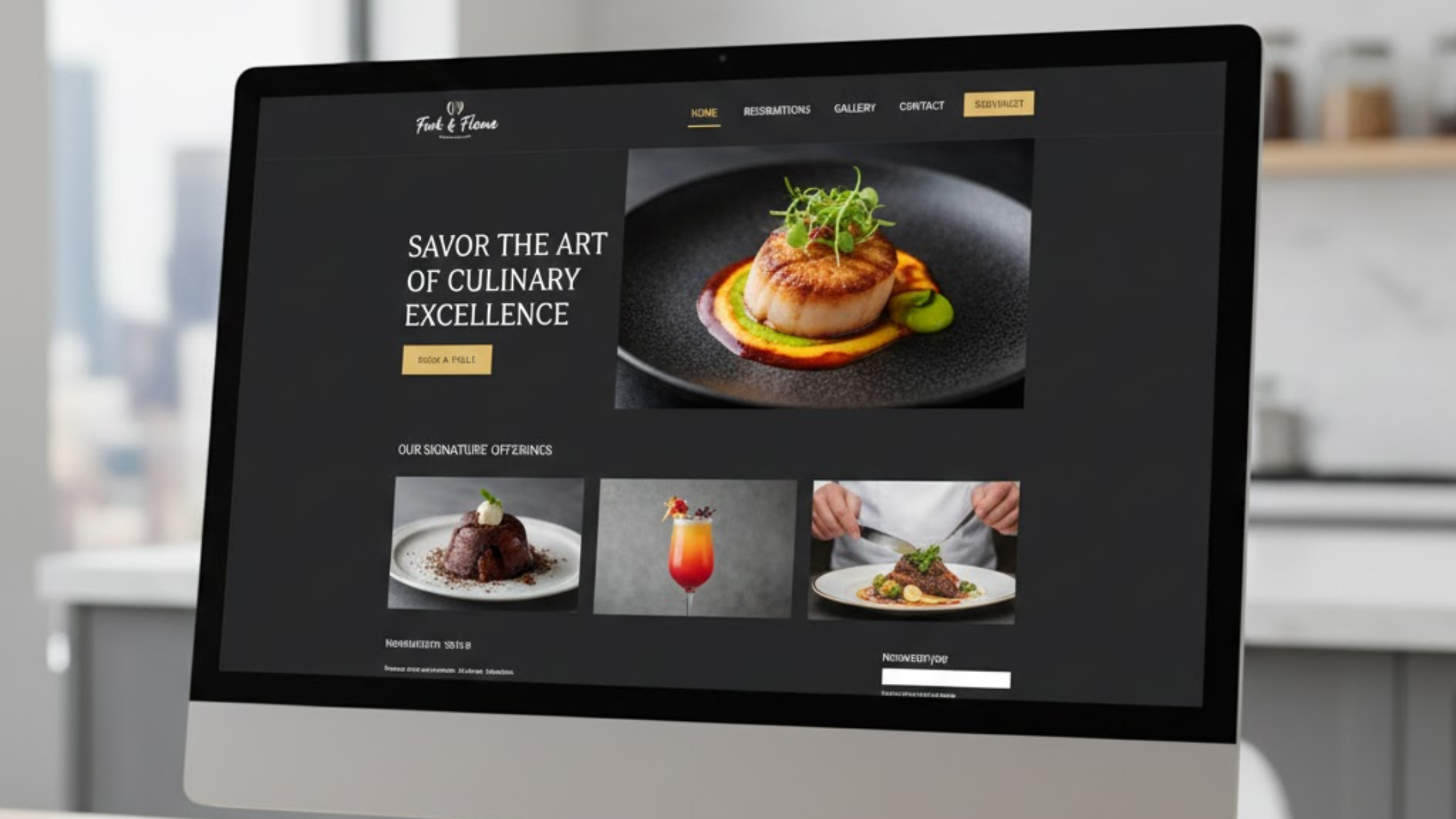
1. The Hero Section
This is the large, top portion of your page that visitors see without needing to scroll.
It has about 5 seconds to make an impression. It must include:
Stunning, high-quality food photography
Your hero image or video should be of your absolute best-looking dish, a beautifully set table, or a vibrant cocktail.

It should be well-lit, in focus, and make a customer salivate. Avoid generic stock photos of smiling people; instead, show your real food and ambiance.
Clear Restaurant Name and Tagline
Your logo should be visible, yet clearly state your restaurant’s name.
Right below it, have a single, compelling sentence that tells people what you are. For example:
An Italian Trattoria Serving Handmade Pasta & Wood-Fired Pizza
Award-Winning Burgers & Craft Beer
Your Two Primary Calls-to-Action (CTAs)
These are the large, visually appealing buttons you want people to click. You can make them stand out with a contrasting color.
Primary CTA: This is your main goal:
- Order Online
- Reserve a Table
- View Menu
Secondary CTA: For people who aren’t ready to commit yet:
- View Our Menu
- See Our Story
- Catering Inquiry
Pro-Tip: Have a short, 5-10 second looping video background of a chef finishing a dish or a happy crowd in your dining room to boost engagement.
2. The Why Choose You Section
This section on your homepage will help you build trust and craving.
Right after the hero section, don’t just list features; explain the benefits. Use a mix of text and visuals.
Briefly Tell Your Unique Story
People connect with stories.
Briefly share what makes you different. Is it a family recipe passed down for generations? A focus on hyper-local ingredients? A chef with a unique vision?
Keep it to 2-3 sentences and pair it with a genuine photo of your team or your source ingredients.
Signature Dish Spotlight
Highlight 2-3 of your most popular or distinctive dishes. Give them a name and a short, evocative description.
For example: “The ‘Dragon Roll’ – Spicy Tuna, Crispy Shallots, and a Sweet Eel Glaze” is more appealing than just “Special Sushi Roll.”
Social Proof and Accolades
This is where you build trust.
Did you win “Best New Restaurant” from a local magazine? Are you featured on a food blog? Include small logos of these publications or a badge for your high rating on Google/TripAdvisor.
3. The Essential Information
A frustrated visitor is a lost customer. Hence, your homepage should make key information easily accessible.
Location and Hours
List your address and your weekly operating hours. Crucially, note any exceptions, like “Closed on Mondays” or “Kitchen closes at 9 PM”.
Menu Preview with a Link
Avoid forcing people to download a PDF if possible.

Embed a section of your menu, like appetizers and mains, directly on the page, and then provide a clear link to the full menu page or PDF.
Ordering & Reservation Buttons (Repeated)
Place these prominent buttons here again. By now, the visitor is intrigued and needs a reminder on how to take action.
4. The Content section
This part of your homepage proves you’re not a ghost town and gives people a reason to visit again.
Live Social Media Feed
Embed a live feed from your Instagram to show real-time, authentic moments from your restaurant, such as new specials, events, and happy customers.
It adds a layer of trust and vibrancy that professional photos alone can’t achieve.
Upcoming Events and Specials
Do you have live music every Friday? A happy hour from 4-6 PM? A seasonal tasting menu?
Find a space on your homepage for these time-sensitive offers to create a sense of urgency and give people a specific reason to visit now.
5. The Footer
The bottom of your page is just as important as the top. It is your last chance to convert. You can include:
Email Newsletter Signup: Offer an incentive like: Sign up and get a free dessert on your next visit!
The Mega-Footer: This is the dense section at the very bottom of the page. It should contain:
- Complete address and phone number (clickable for mobile users).
- Links to all essential pages: Full Menu, About Us, Contact, Careers, Privacy Policy.
- Links to all your social media profiles (Instagram, Facebook, TikTok).
- Any necessary legal information, such as copyright.
Your Simple Template For a Restaurant Website
Based on our guide on what you should include on your restaurant website homepage. Here’s how your homepage can flow:
Top: Hero Section
- Background: A nice video of a sizzling fajita platter.
- Text: “Authentic Mexican Street Food & Margaritas”
- Buttons: [ORDER TAKEOUT] [SEE OUR MENU]
Scroll: Why Choose Us?
- Left Side: A photo of the owner/chef with family in Mexico.
- Right Side: Our Story: Recipes from our Abuela’s kitchen in Puebla, brought to life with local, fresh ingredients.
- Below: Three high-quality photos of your “Carnitas Tacos,” “House Guacamole,” and “Signature Spicy Margarita.”
Scroll: Essential Info
- Headline: Visit Us
- Left Side: A clean, embedded Google Map.
- Right Side: Address, Phone Number, and Hours (with a note: “Open late on Fridays and Saturdays”).
- Buttons (again): [GET DIRECTIONS] [RESERVE A TABLE]
Scroll: Dynamic Content
- Headline: Join the Fiesta
- Left Side: This Week’s Events: Live Mariachi every Saturday, 7-9 PM // $5 Margaritas during Happy Hour (Mon-Fri, 3-6 PM).
- Right Side: A live grid of your latest Instagram posts.
Bottom: Final Nudge and Footer
- Section: Get a Free Churro Bite Dessert on Your Next Visit! Sign up for news and offers. [Email Address Box] [SIGN UP]
- Footer: Full address, phone, links to Menu/About/Catering/Contact, social media icons, and copyright.
Olitt Does More For Your Homepage
When you build a restaurant website with Olitt, you get more than all the essential elements we have discussed.

We also:
Optimize for Speed
We compress and optimize your images to ensure they look beautiful while loading in a blink, preventing you from losing customers to a slow website.
Prioritize Mobile-First
We verify that every button is mobile-friendly, every section flows seamlessly on a small screen, and the layout is intuitive for the majority of your visitors, who will be using their phones.
Configure Spree for Success
Olitt sets up your payment options, creates and places coupon codes in your promotions area, and ensures a smooth transition from browsing to ordering.
Lay the SEO Foundation
We handle the basics behind the scenes, like meta titles and descriptions, and implement local business schema.
This helps Google understand you’re a restaurant, which can improve your visibility in local search results.
Conclusion
From the moment a visitor arrives at your homepage, your goal is to welcome them, showcase your best features, and make it incredibly easy for them to take the next step, such as ordering a meal or booking a table.
This guide is your recipe.
You now have all the key ingredients: a mouth-watering hero section, trust-building elements, clear essential info, and dynamic content that keeps your site fresh and engaging.
And the best part? You don’t have to figure it all out on your own. With Olitt, every element we’ve discussed is laid out and optimized for you, ready to go.
.